
It is possible to perform batch document generation in netLex. For this, the automated model of documents to be prepared in batch must meet the requirements below:
-
Do not use repeating contexts (“repeat” functionality)
-
Do not use attachment variables
-
Do not use multiple response lists. List variables must always be of type “Radio Buttons” or “Drop Down” (do not use “Check Boxes”).
-
Do not use variables of the “Formula” type. Whenever necessary, leave all conditions and calculations directly in the template.
-
As a good practice, we suggest always deallocating from the questionnaire all variables that are not being used in the template, excluding pages and groups that do not have variables.
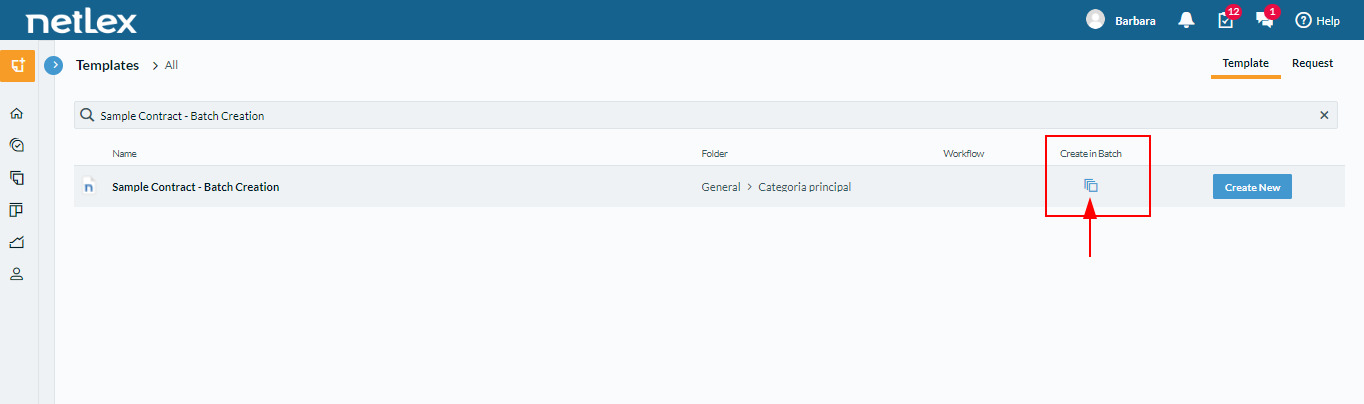
When the system identifies the existence of a template that meets all the requirements above, it recognizes that it can be generated in batch and automatically on the screen "create a new document based on a template" the option "create in batch " as the image below:
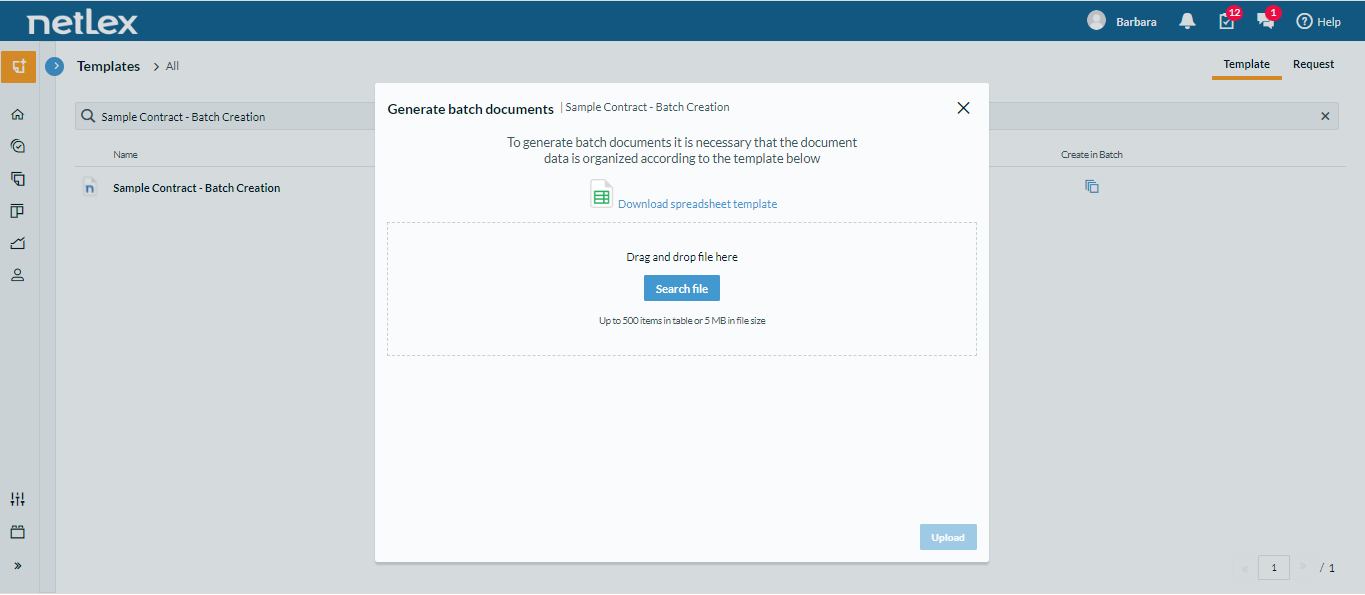
By clicking on this option, the system will present all the information necessary to proceed with the batch generation. Are they:
- Download the template spreadsheet
- Filling in the template worksheet
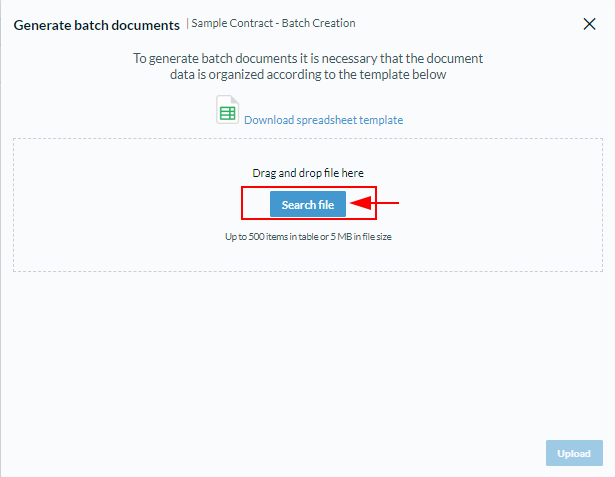
- Upload the completed template worksheet
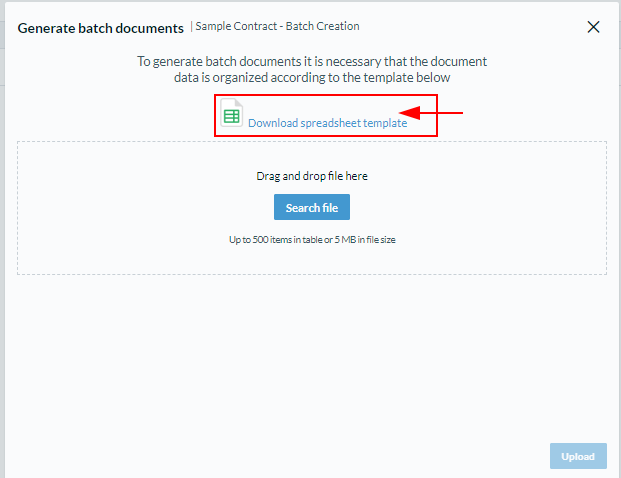
Download the template worksheet:
NetLex will provide a spreadsheet to be filled in, where the data of all documents to be created must be entered. You will need to download the spreadsheet provided as shown in the image below:
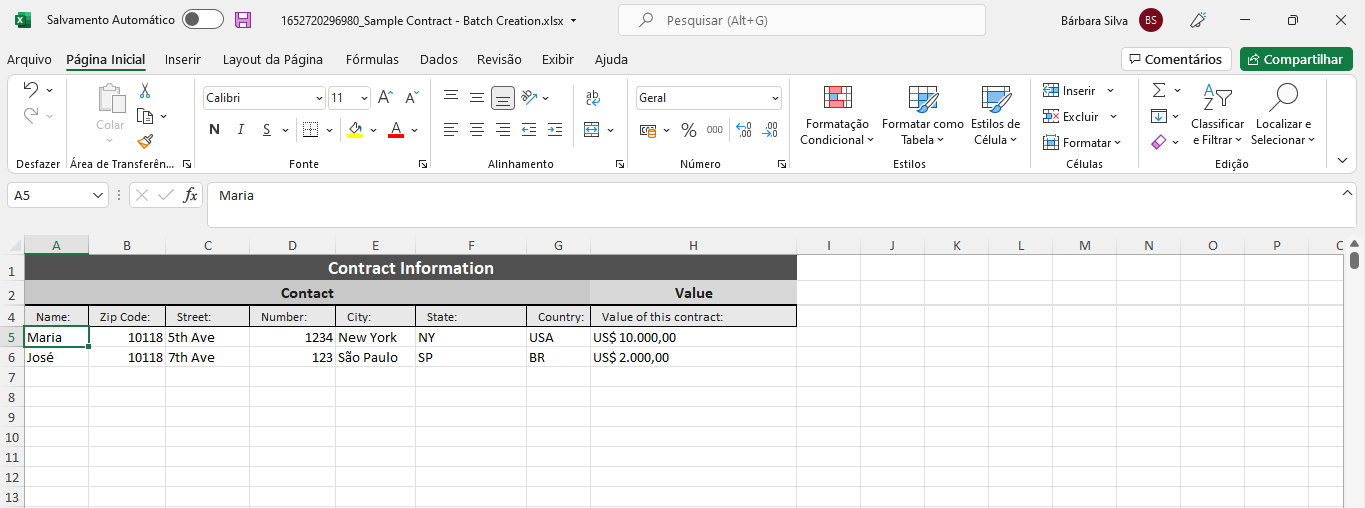
Filling in the template worksheet:
The existing fields in the template worksheet match the variables to be filled in for each document, that is, the information that will serve as a basis for the creation of each document. It must be filled out correctly following the same pattern, as shown below:
Note: The batch generation functionality has some limitations regarding the size of the filled worksheet:
- The spreadsheet must contain a maximum of 500 filled lines, that is, up to 500 documents at a time.
- The spreadsheet file size must be less than 5MB.
If you need to create a larger amount of documents, you will need to split it into more than one sheet/file.
Upload the completed template worksheet:
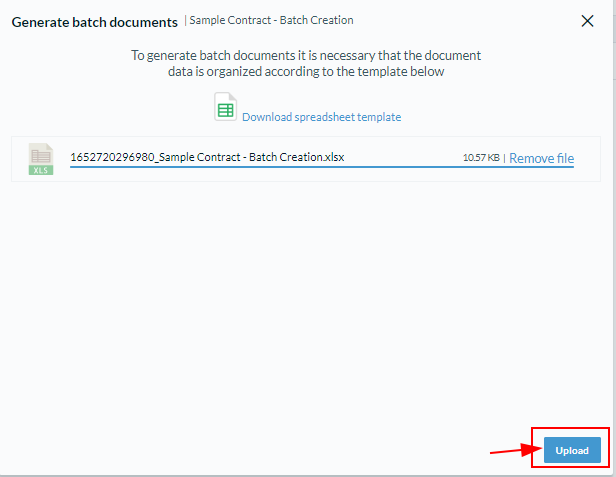
The last step is to upload the template spreadsheet after filling it out. Just click "upload" and the batch generation will start.
After creating the batch documents, it will also be possible to download the PDF or Docx versions of the generated documents in bulk. The documents will also normally be available for consultation on the "document listing" screen.
Comments
0 comments
Please sign in to leave a comment.