
How to upload answers to a new questionnaire

It is possible to upload anwers from a document in order to use it to complete a new questionnaire.
To carry out the process, you need to have a .json format answer file on your computer in advance to be selected. This file can be obtained from the Answers Download.

Once you have the file, when you are filling out the questionnaire to create a new document, you will be able to access the answers upload functionality in the upper right corner of the screen. This option is located on the three dots vertically button. Example in the image below:
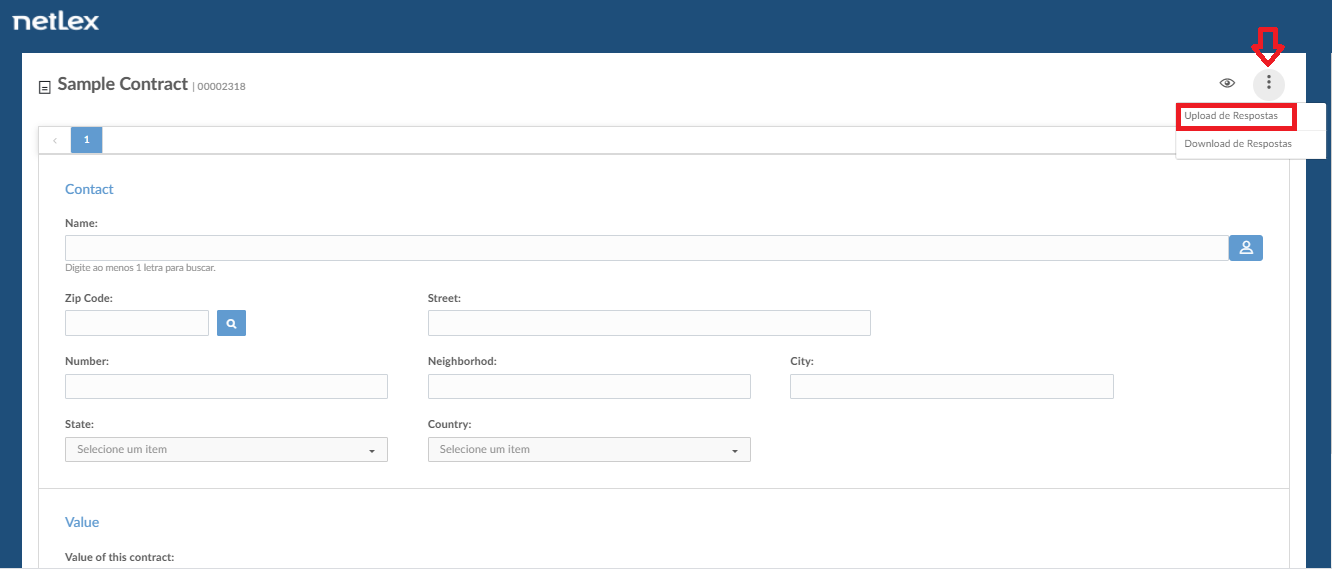
When you select this option, the answers will be imported into the questionnaire and it will be filled out according to the file content.
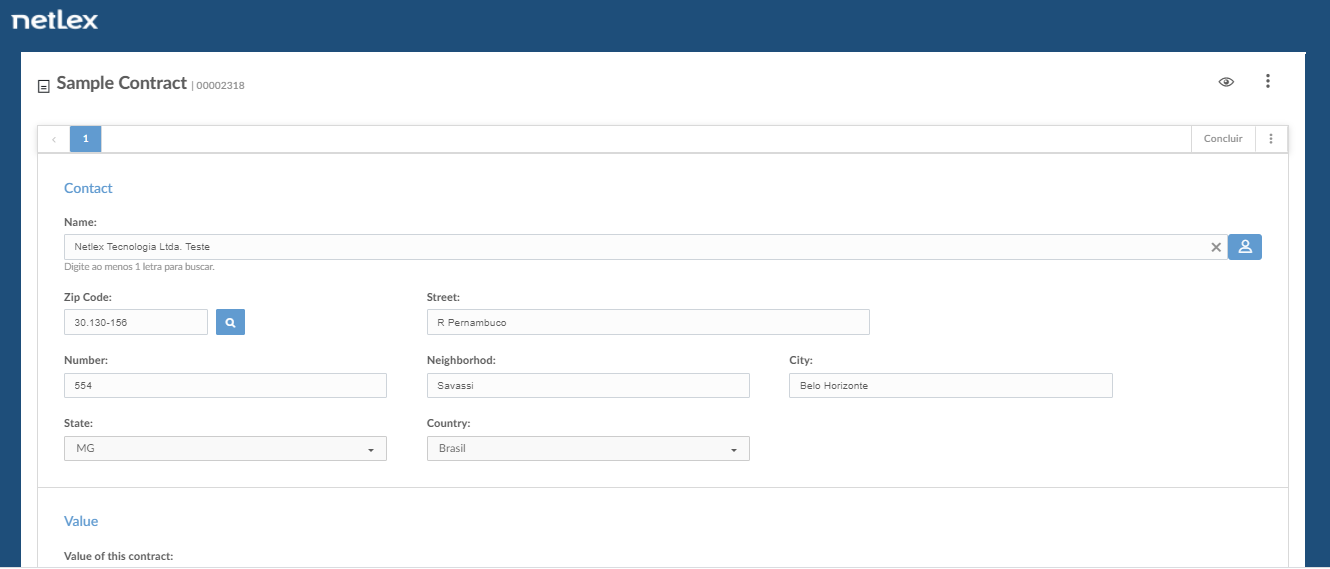
After entering the answers, it is still possible to modify the answers if necessary.
Comments
0 comments
Please sign in to leave a comment.