
Approval tasks can be assigned to you or your team.
If the tasks is under the responsibility of the team, the “Approve” button will not appear when accessing the document. To have this view, you need to go to the "Tasks" page, find the related document and define yourself as responsible for that step.
See the step by step for this:
1. Click on "Task"
2. Search the request by name or document number
3. Click the + button in the "Responsible" column
4. Choose your name from the list.
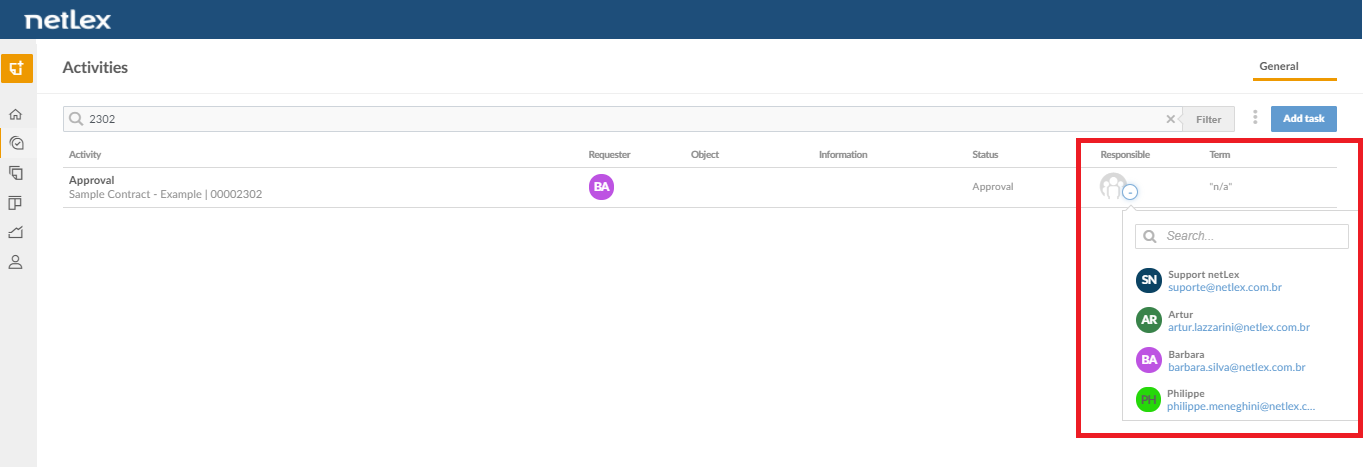
5. Click on the document name to access it
6. You now have the possibility to approve or reject the request.
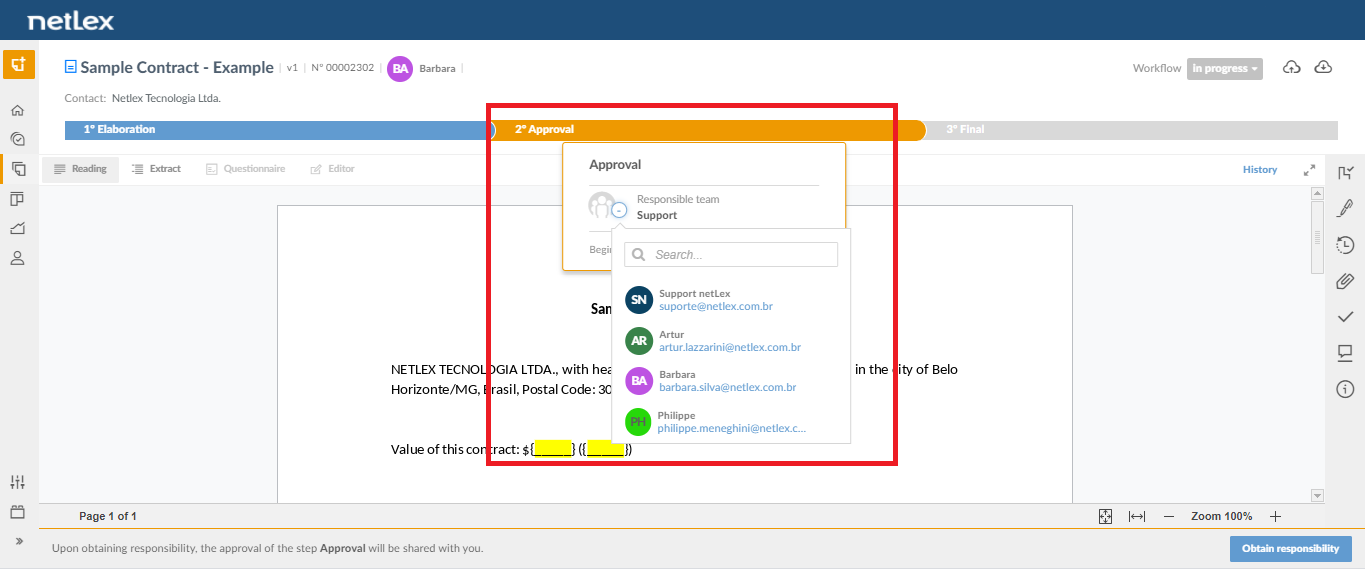
It is also possible to assign responsibility for the team within the document management screen. This option appears when hovering over the current workflow step. See the image below.
Comments
0 comments
Please sign in to leave a comment.