
It is possible to save a selection of filters so that you can save a certain tasks configuration. This way, it will be possible to find the tasks more easily.
To do this, apply the desired filters and click on “Save”. When doing this process, two options will appear:
- Save as my filters: makes the chosen classification available in a list, which can be viewed by clicking on the arrow to the left of the filters. (Ex.: writing a filter to show all Requests that have been received. That way you can access them using the "Requests received" tag). We suggest you apply this feature to filters you use sporadically or temporarily.

- Save as new tab: makes the chosen classification always available in a new tab, next to “General”. (Ex.: selecting you as responsible and the task open, you can have a tab “My open tasks”). We suggest you apply this feature to the filters you use daily, as it is possible to have only 5 tabs in total so as not to pollute the screen.

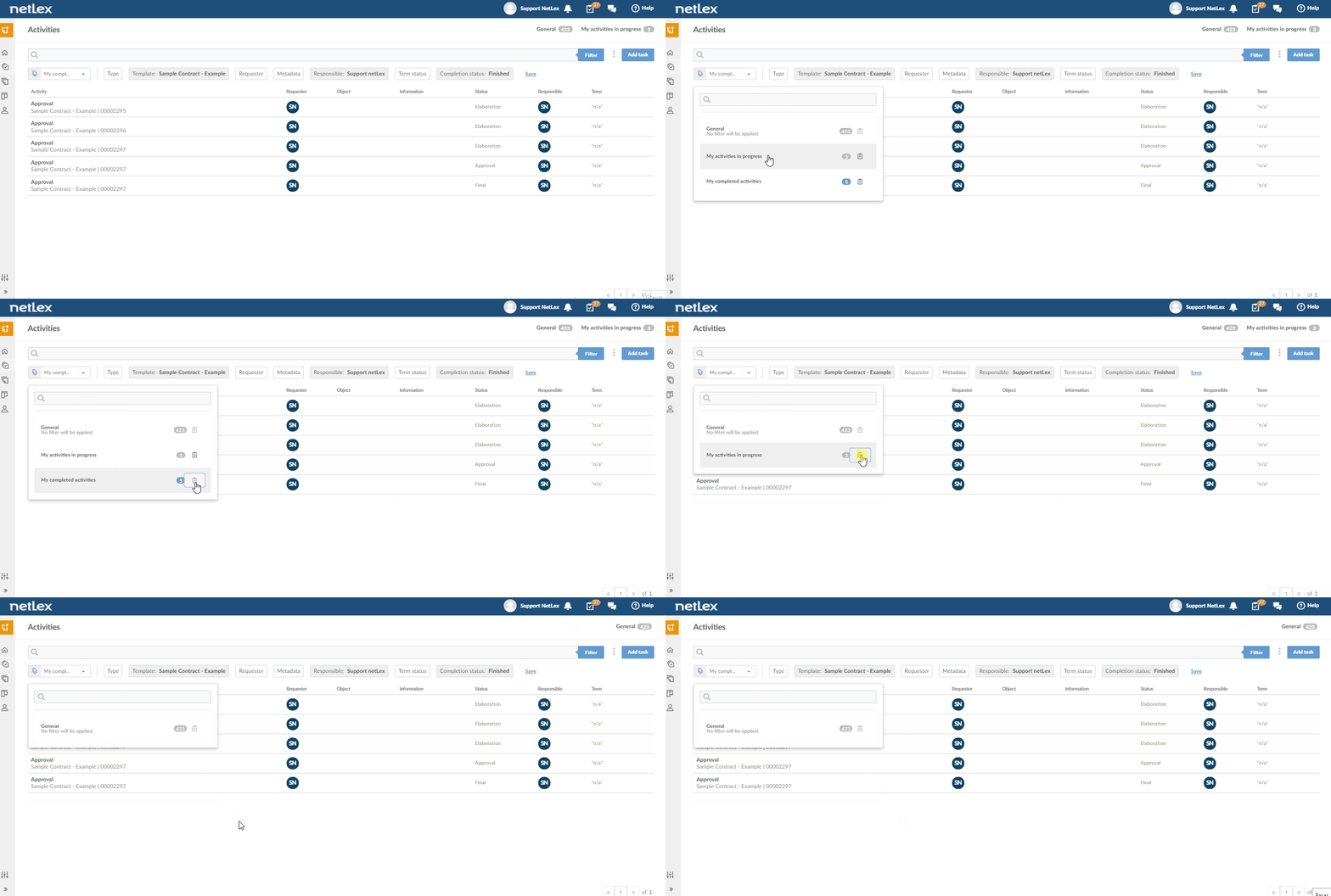
All saved filters will appear, either as a new tab or as my filters. If you want to delete some, just click on the trash icon next to each one.
Comments
0 comments
Please sign in to leave a comment.