
How to rename documents
You can change the name of netLex documents if necessary. This change can be made in two ways:
- The first is through the "Document Listing" screen.
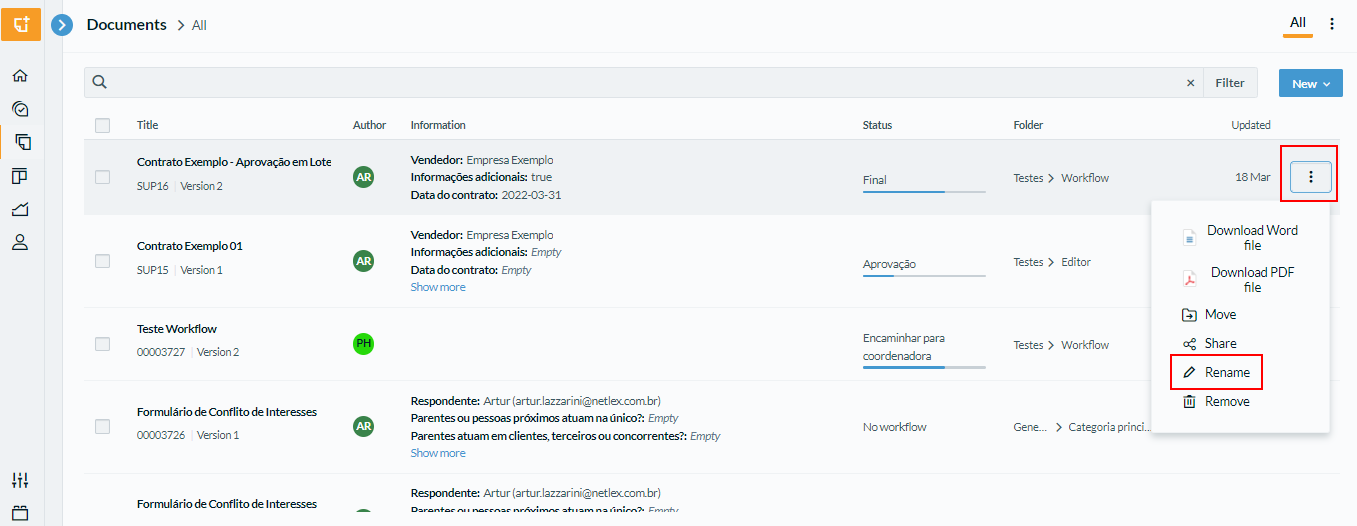
To change the name of the document, it is necessary to select the button represented by "three dots" vertically on the "List of Documents" screen. Then it's necessary to select the option "Rename", as indicated in the image below:
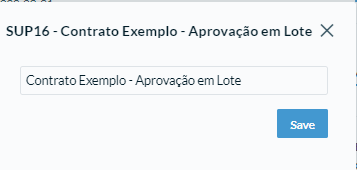
- It's also possible to rename documents directly by their header.
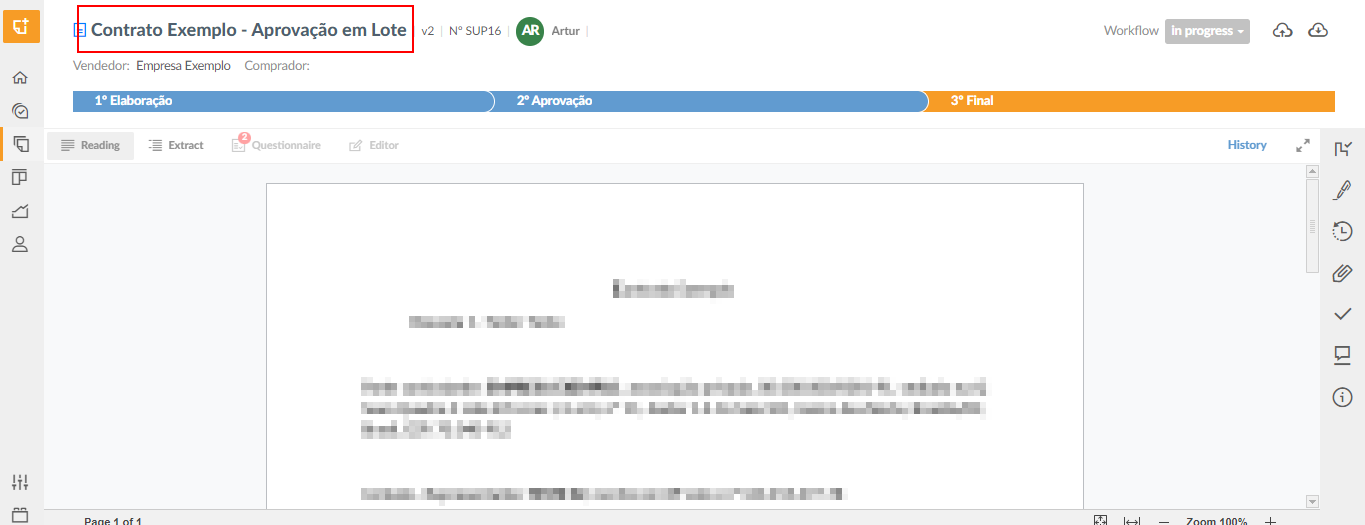
To change the name of the document directly in the header, it's first necessary to access the desired document. Then just click on the document name and make the change. Once this is done, clicking outside the header will save the change:
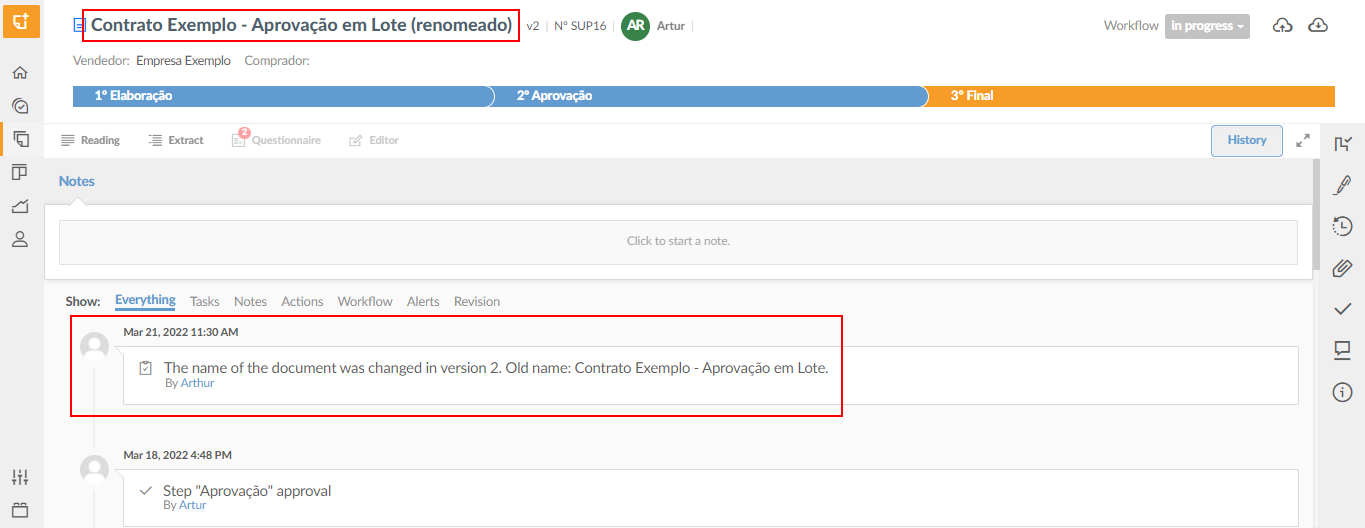
It's worth noting that after the change is made, it's recorded in the document history. You can view the change information at any time in the "history" tab of the document as shown in the image below:
Note: To be able to carry out this process, the user must have the permission to "Rename" documents enabled in their access profile. Access the "settings" > "Profile" > "Edit Profile" menu and check if this option is enabled, as shown in the example below:
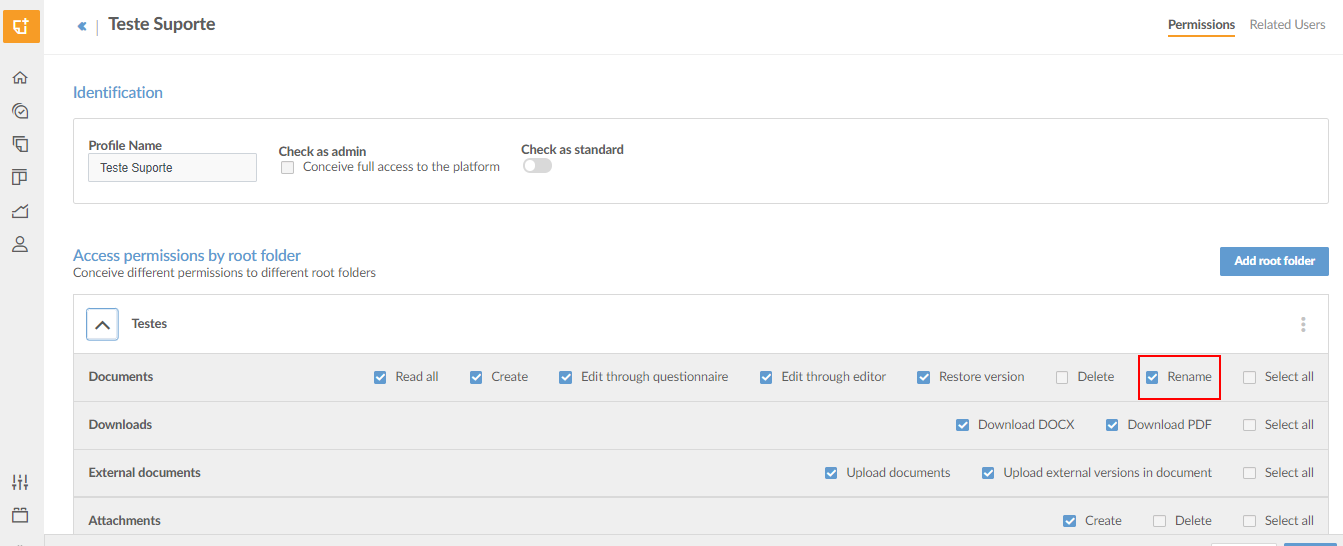
If you have any doubts about carrying out the process, go to Creating and Editing User Profiles
Comments
0 comments
Please sign in to leave a comment.