
What it means when the document's status is draft.
Functionality Presentation
Full explanation
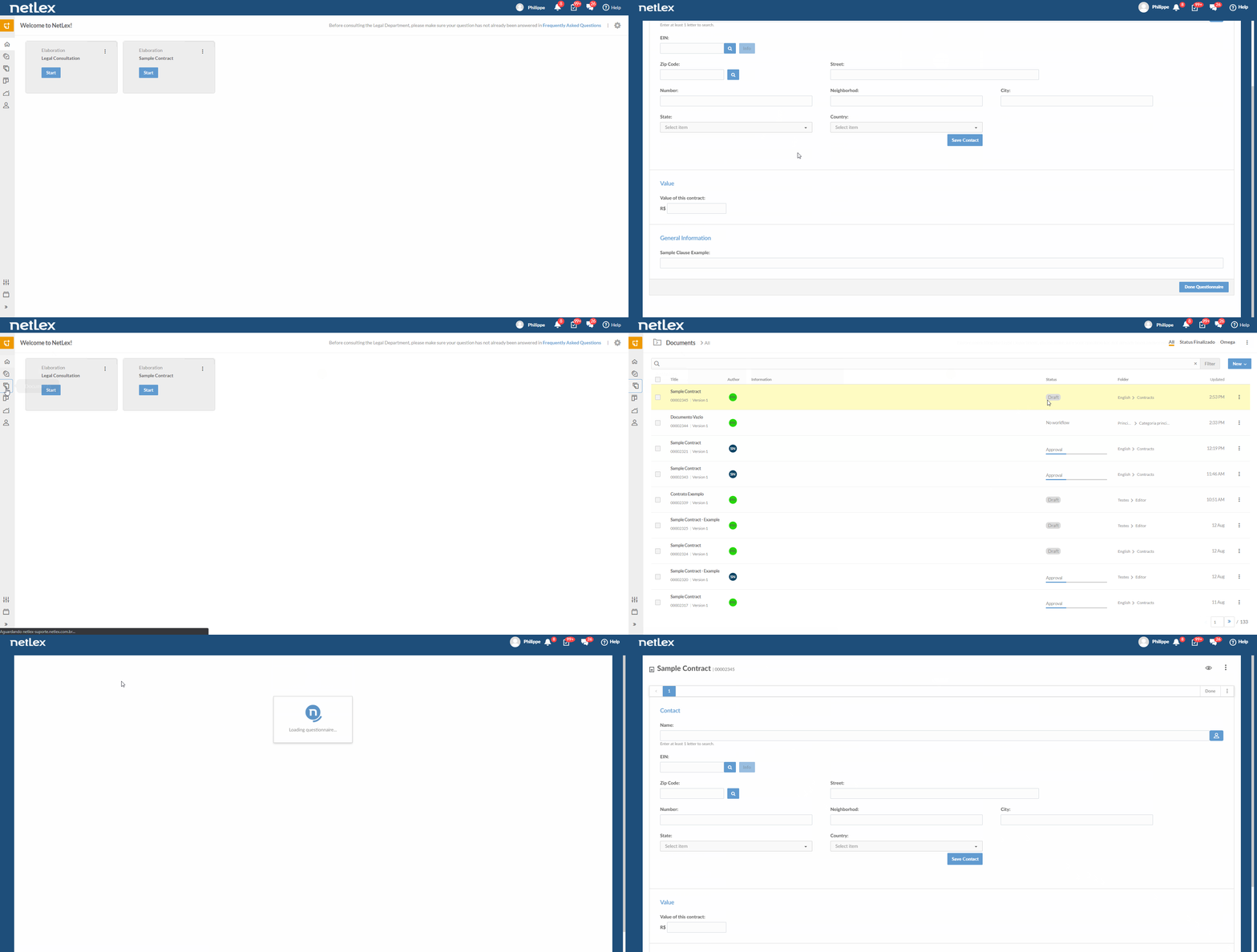
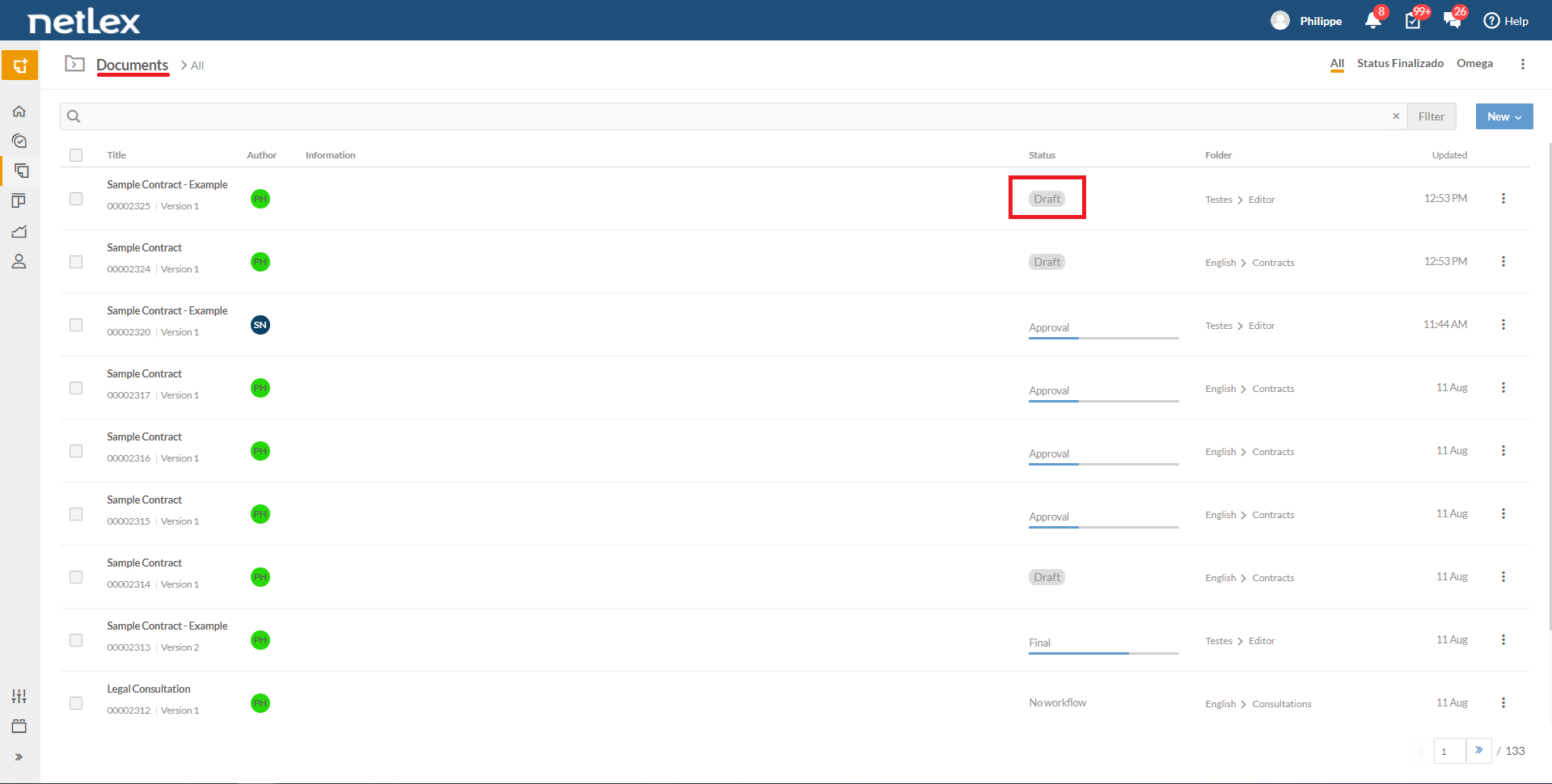
Every time a questionnaire is opened, a document is automatically created, even if you do not complete filling it out. In this case, the document is saved as a draft.
To continue filling in the data in this file, just go to the “Documents” page, search for its name or number, click on the document and you will enter the questionnaire again, and you can continue where you left off.
Note that only draft authors will be able to access them, edit them and create the related document.
Comments
0 comments
Please sign in to leave a comment.