
How to save a filter option on the documents screen for easy reference at future times.
You can save a selection of filters you want so that you can view a certain document configuration at other times more quickly.
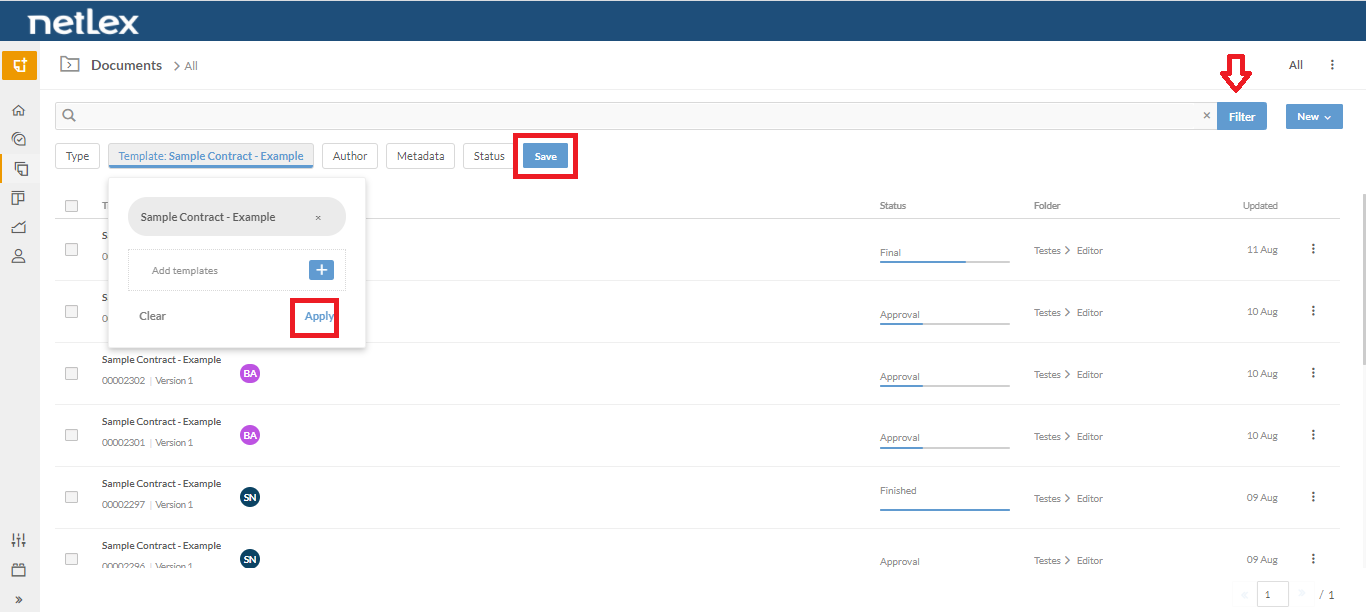
To do this, apply the filters you want and click on Save button.
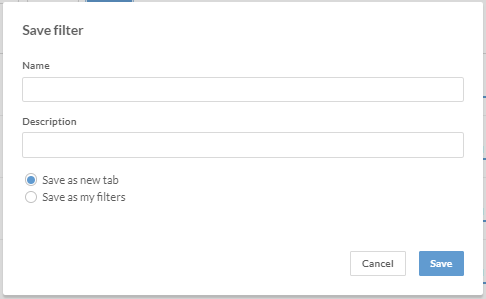
You can choose two options: Seve as new tab or Sabe as my filters
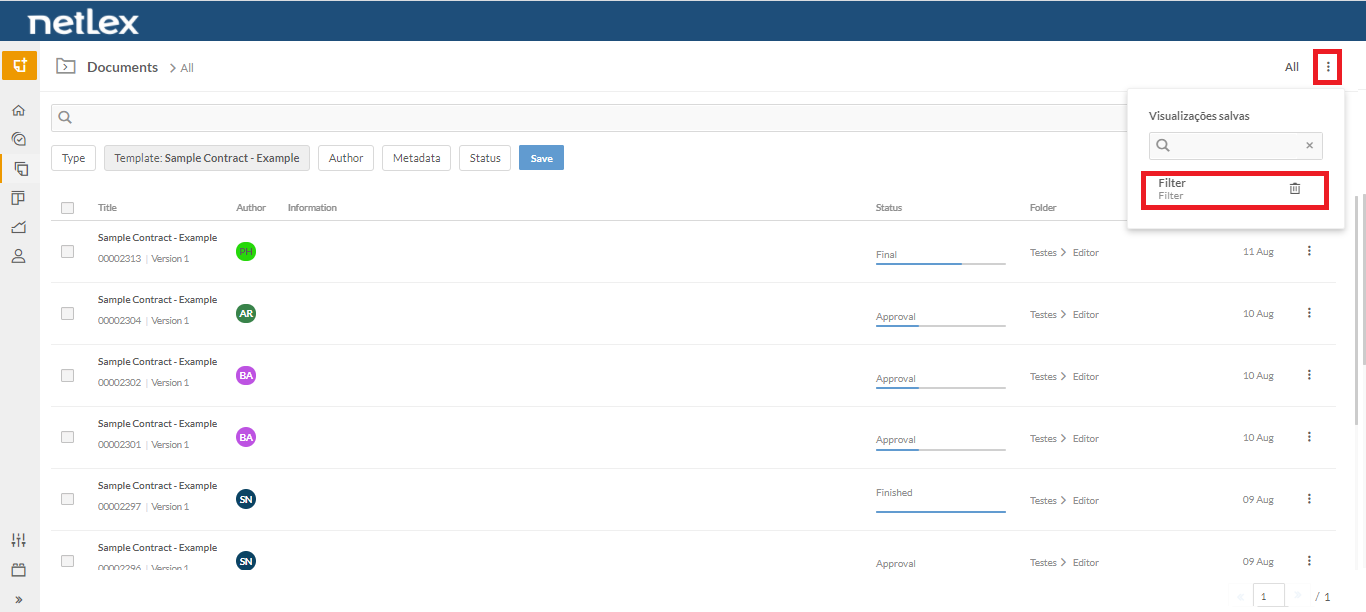
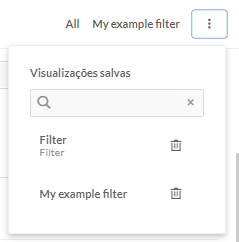
- Save as my filters: In this option, the chosen classification is available in a list that can be viewed by clicking on the three dots button located next to the filters.
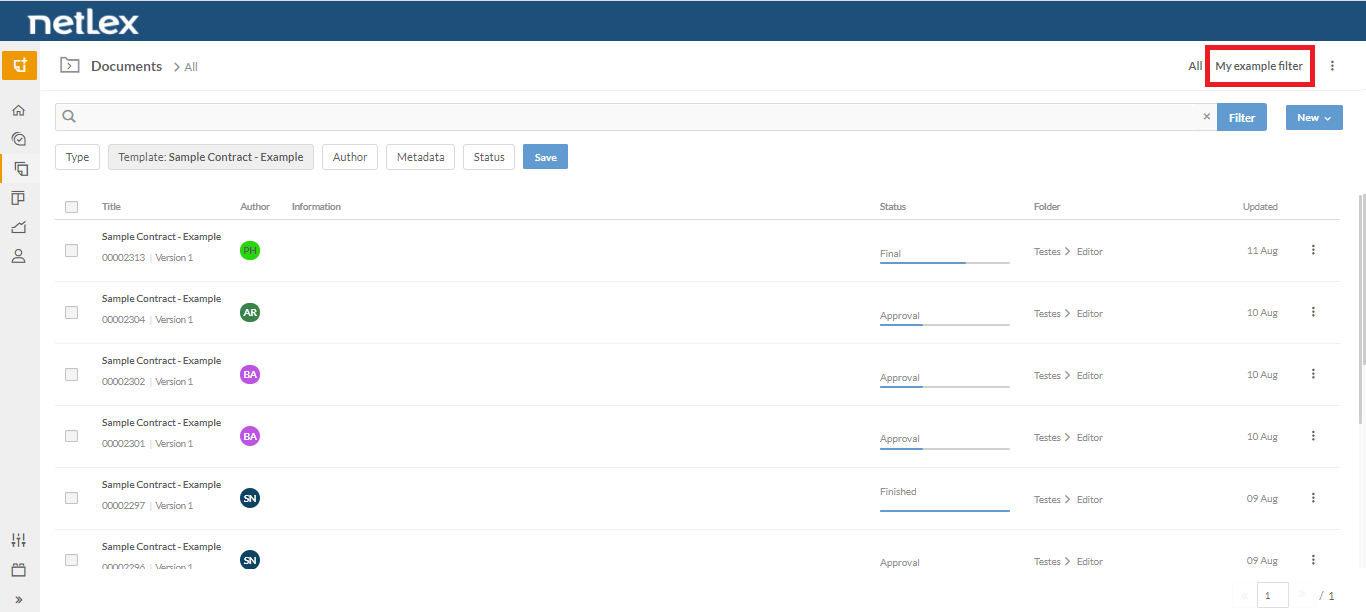
- Save as new tab: In this option, the chosen classification is always available in a new tab, next to the “General” tab.
In the list on the left of the filters, all saved filters will appear, either as a new tab or as my filters. If you want to delete any of them, just click on the trash icon next to each one.
Comments
0 comments
Please sign in to leave a comment.