
How to Download the answers that were inserted in the questionnaire of a document already created?
You can download responses from a document in two different ways:
1. While completing the questionnaire:
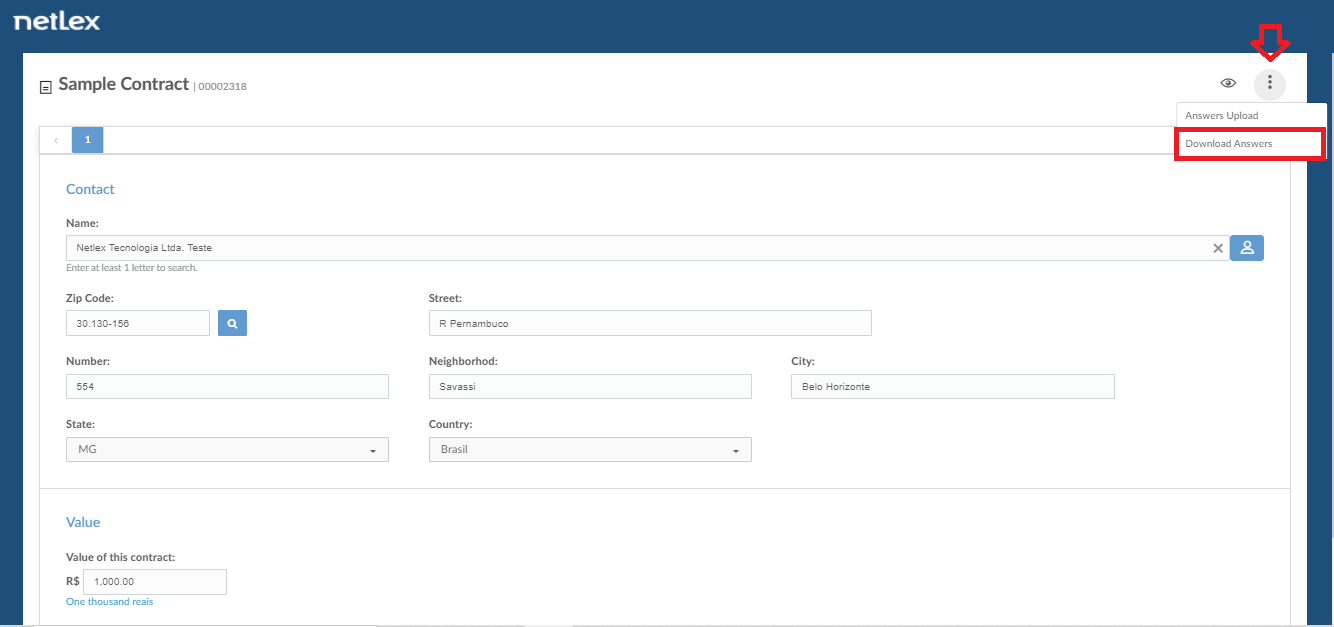
When you are filling out the questionnaire to prepare a document you can access this functionality in the upper right corner of the questionnaire screen (symbolized by three vertical dots). By selecting the "Download Anwers" option, they are downloaded in JSON format to a folder on your computer.

2. In the "Document versions" field on the document management screen:
When viewing a document that has already been created, you will have access to the "Document Versions" tab on the right sidebar.
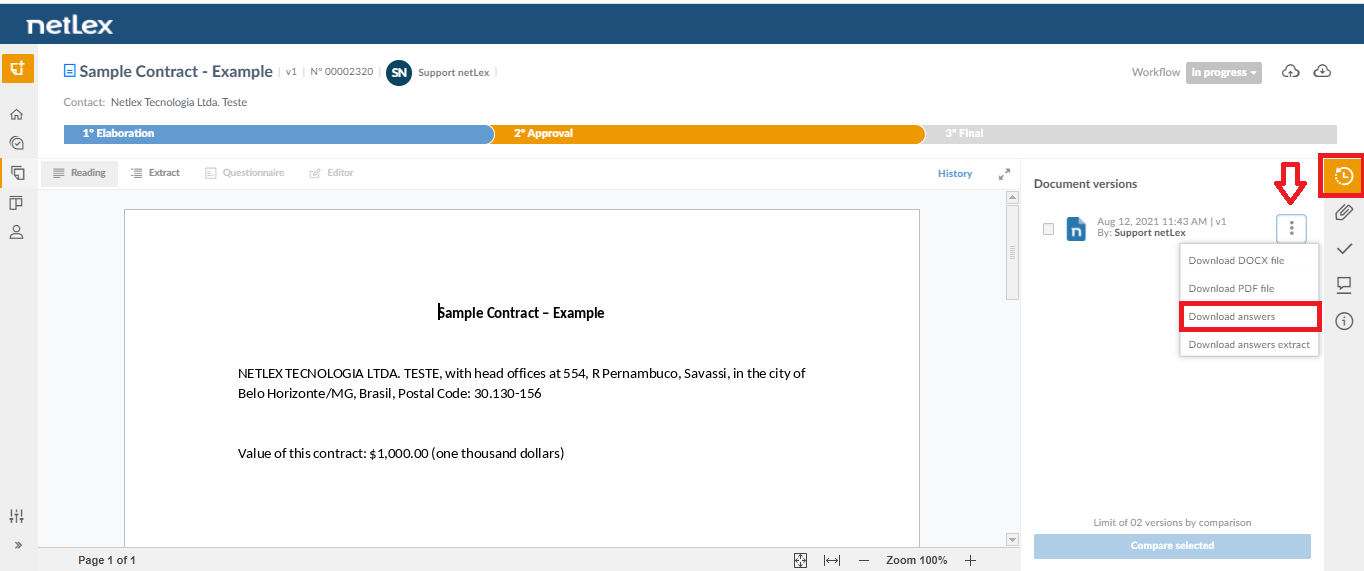

In this field, you can view all versions, from newest to oldest. Click the three-dot vertically icon in front of the version you want and select the "Download Answers" option.
After downloading the answers, it is possible to use it to fill in a new questionnaire.
Comments
0 comments
Please sign in to leave a comment.