
How to Find and Edit a Created Document
Functionality Presentation
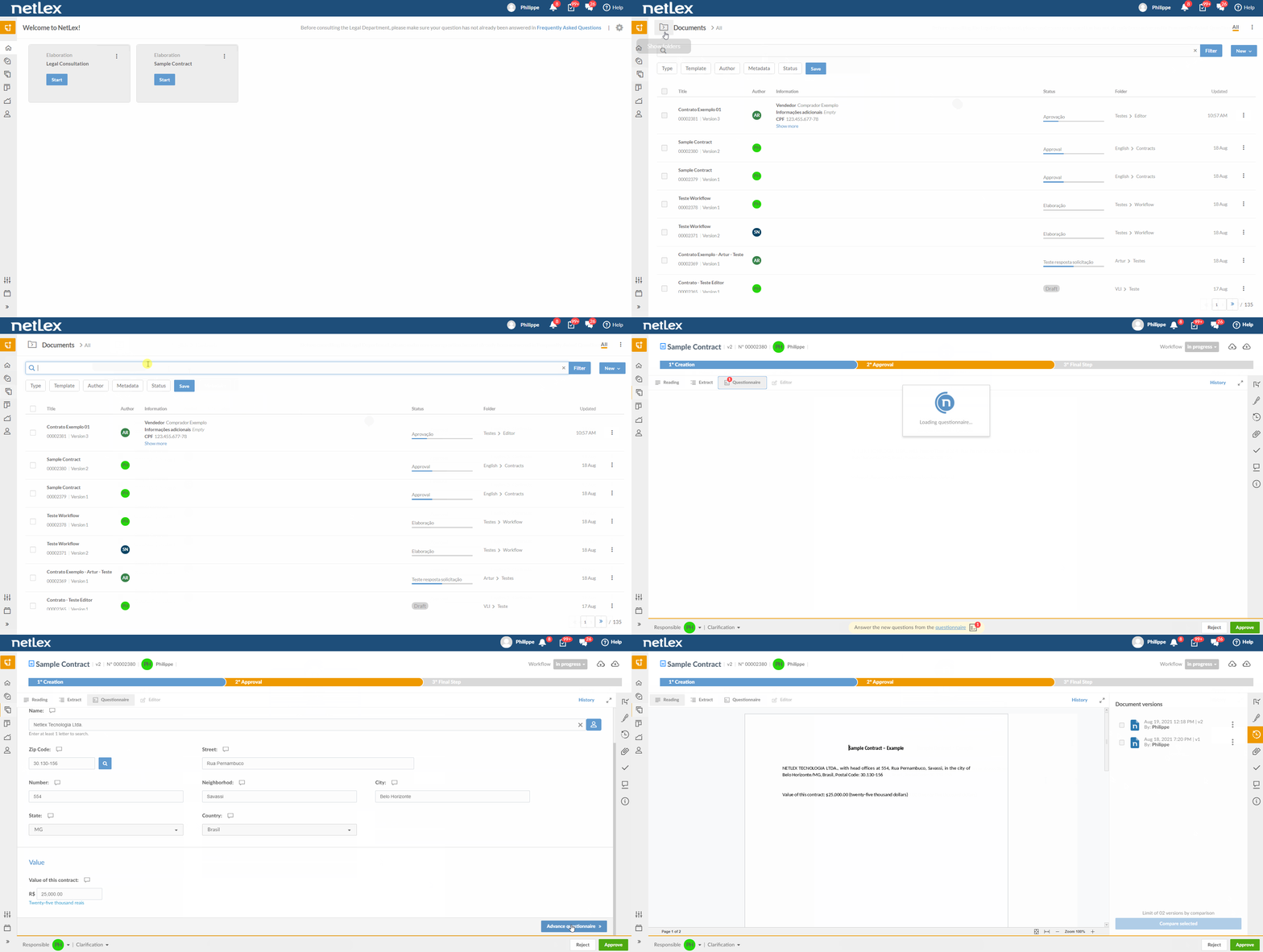
Full explanation
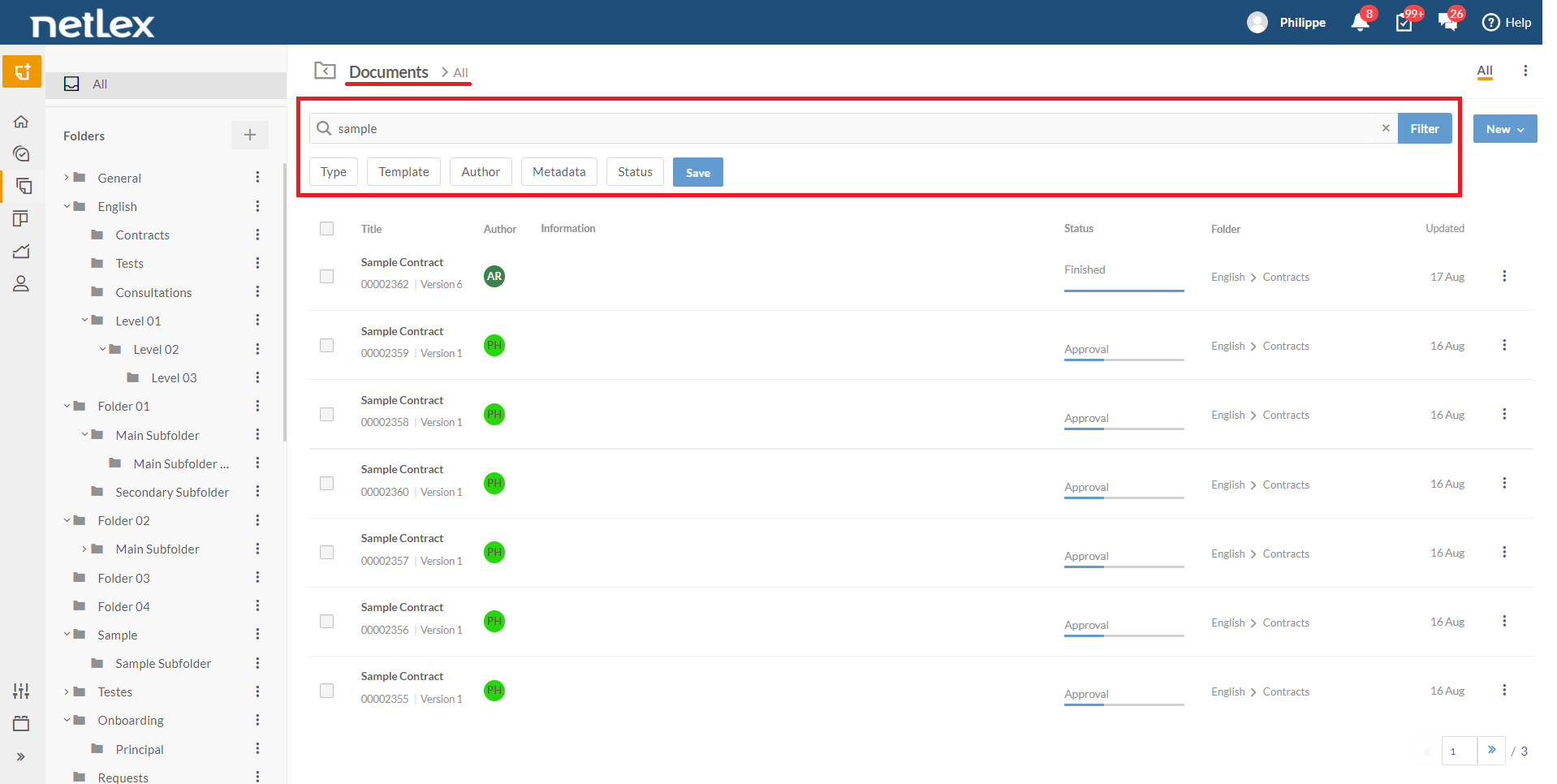
The “Documents” page will contain all the documents you have created on the platform. You can search for a document from the search bar at the top of the screen or from the information presented.
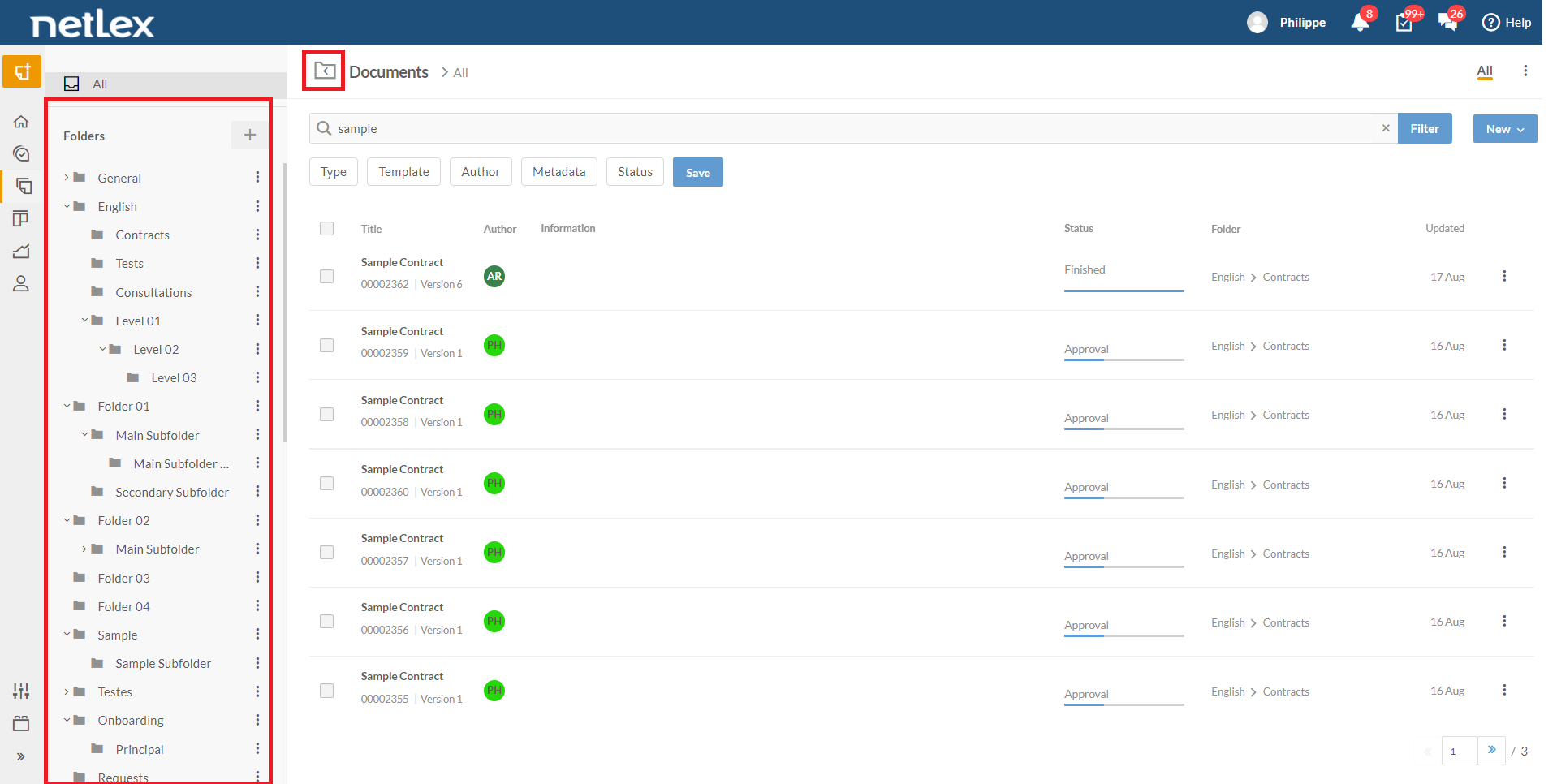
You can also find the documents by selecting the folder they are in:
When you find the desired document, click on it to access its management screen. On this screen, you can view the document in the questionnaire mode:
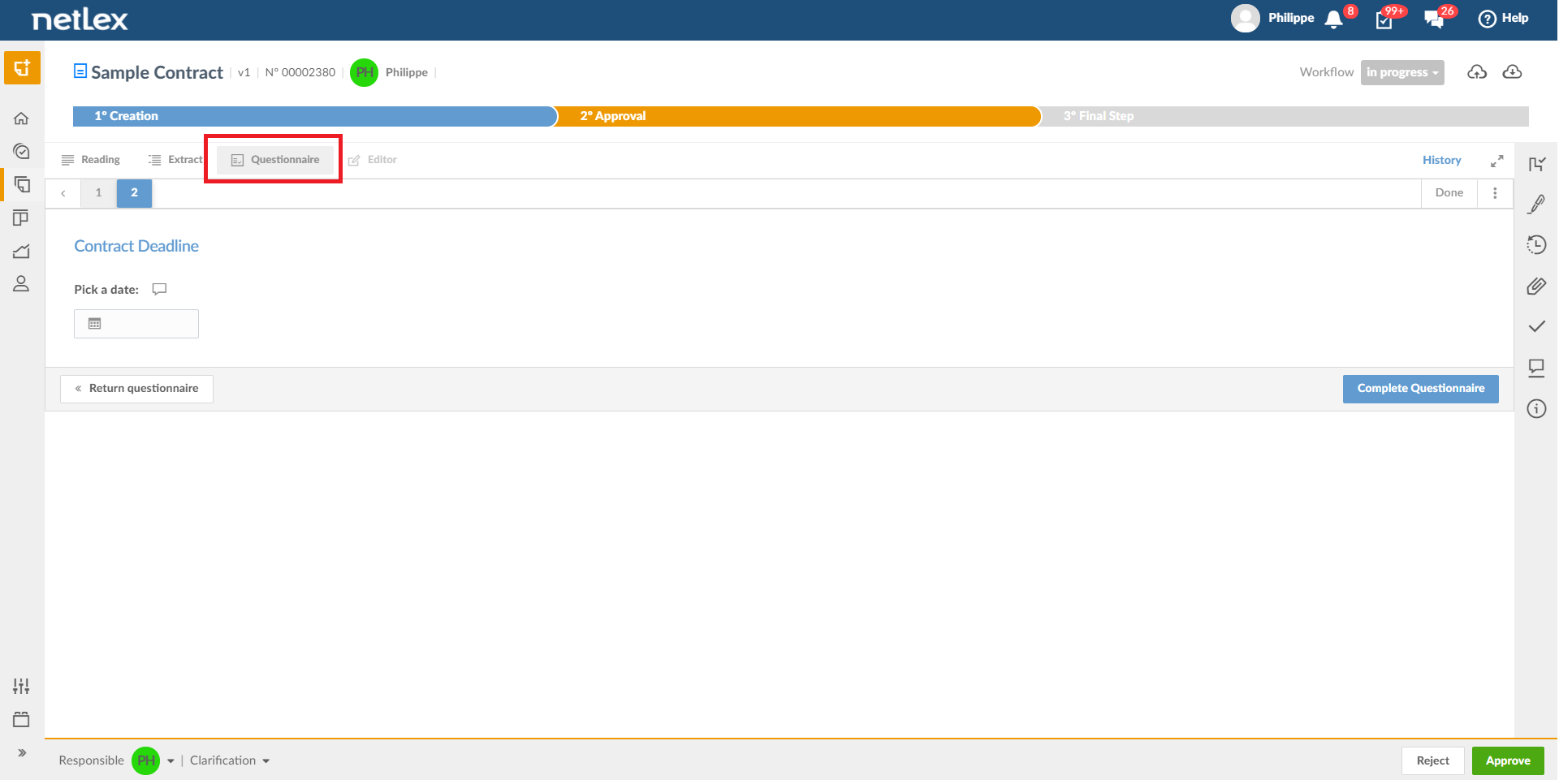
This way, you will have access to the questionnaire itself, which has already been filled out, through which you can change the answer fields. Remember that every change in the questionnaire is saved in the document's history.
After completing the necessary changes, go to the questionnaire's last page and click on "Complete questionnaire" to access the document's new version.
Important: if there is a workflow registered for this document, you may not have access to questionnaire mode. If it is still necessary to make changes, ask the user responsible for the current step to click on "Reject" and return to the "Creation" step, returning to his/her responsibility. The platform administrator in your company can also carry out the process via the "Take responsibility" button.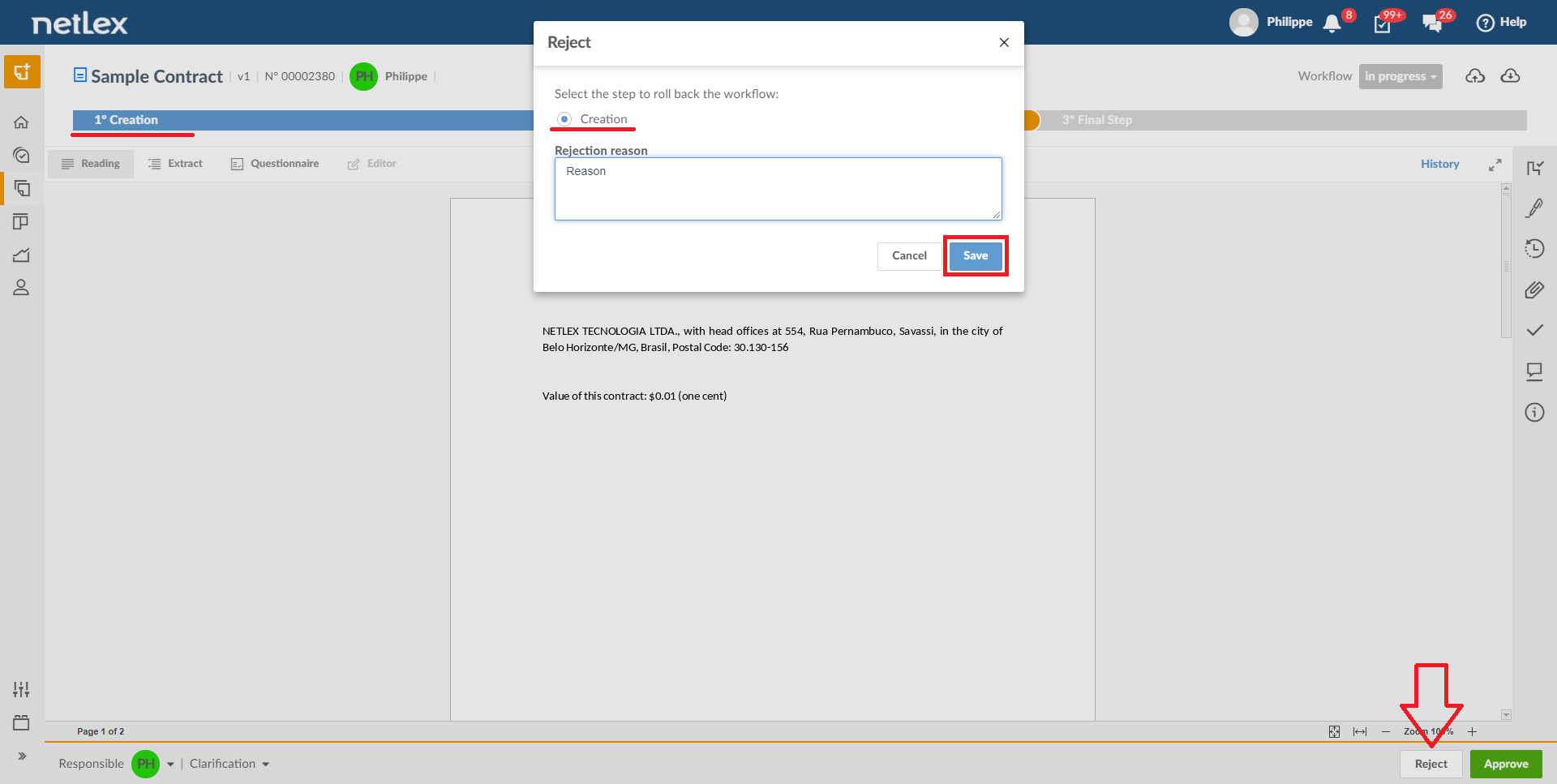
Learn more about this approval flow in Workflow function.
Comments
0 comments
Please sign in to leave a comment.