
How to change your platform display language?
It is possible for each user to define in which language they want to use the platform. This configuration can be performed by users in Profile settings.
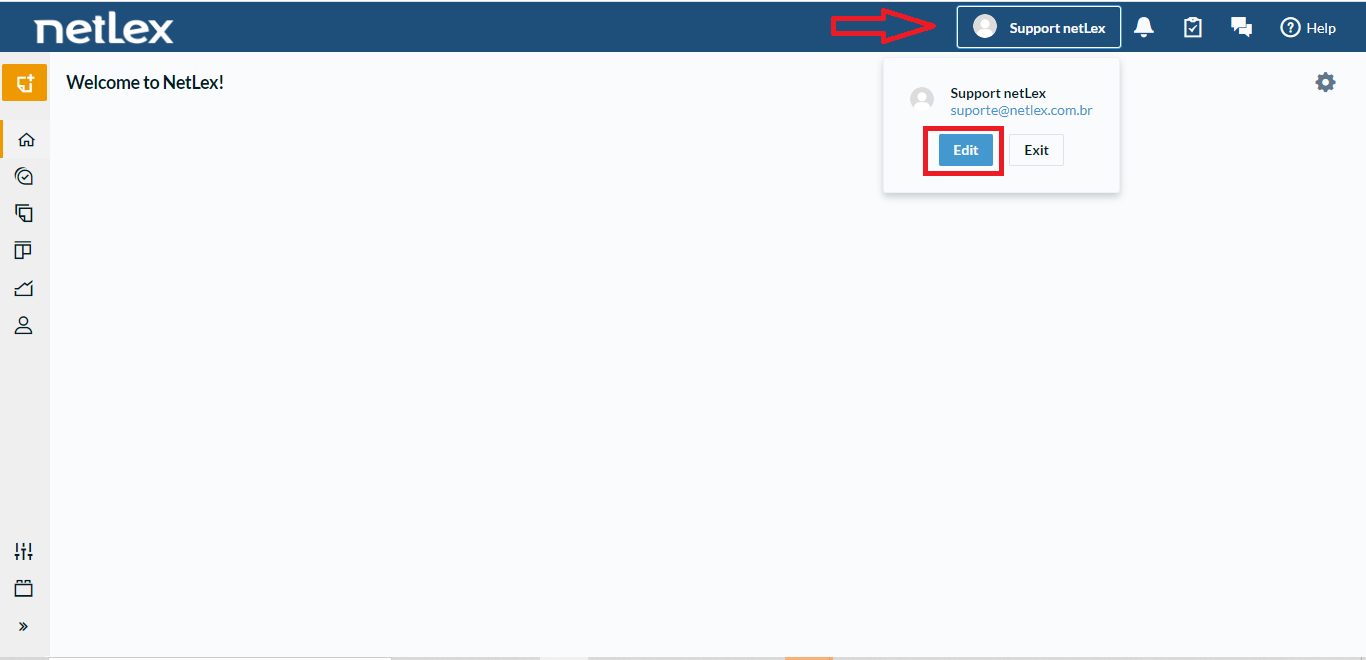
To access the Profile settings, click on your user icon available on the platform header and choose the "Edit" option as shown in the image below:
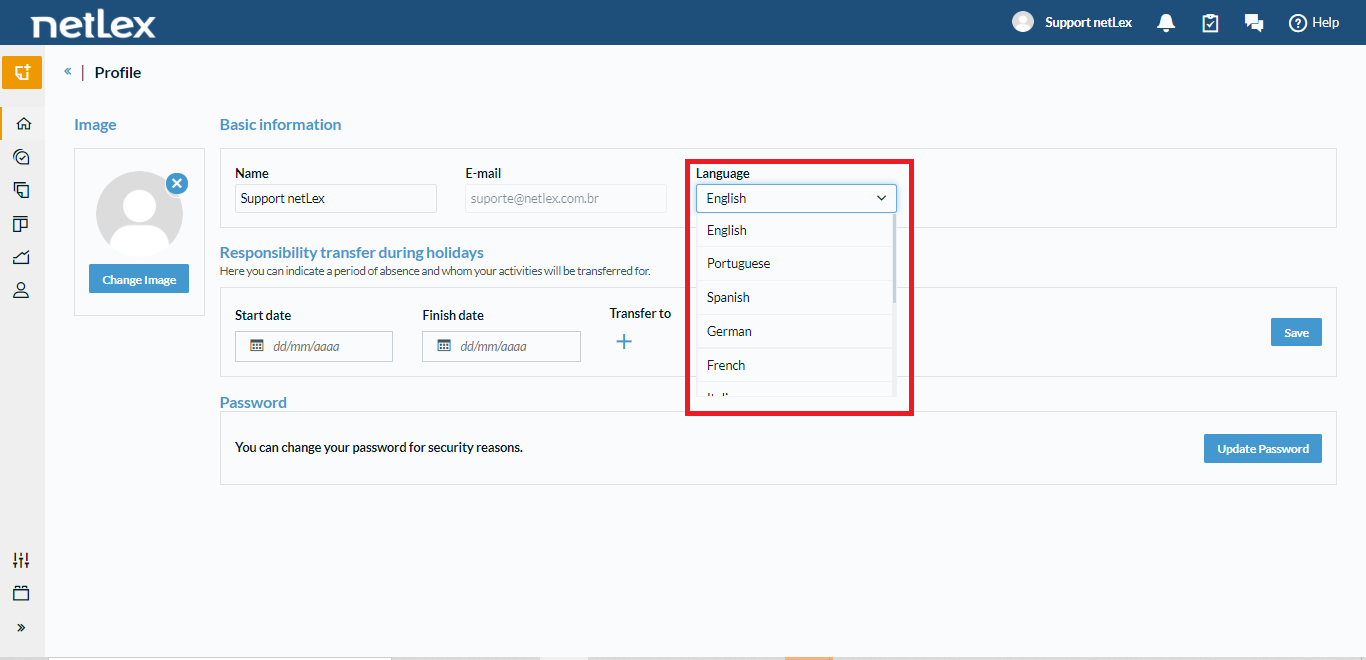
After carrying out this process, it will be possible to view the settings of your user profile on the platform and among them will be the option "Language". Just choose the desired language and the platform will adapt to the new settings.
Comments
0 comments
Please sign in to leave a comment.