
Platform templates have the "Alerts" functionality, in which it is possible to configure the system to send notifications to certain users and in certain periods of time. For this, the template must have a metadata of the type "Date and terms" that will be used in the configuration of the alert.
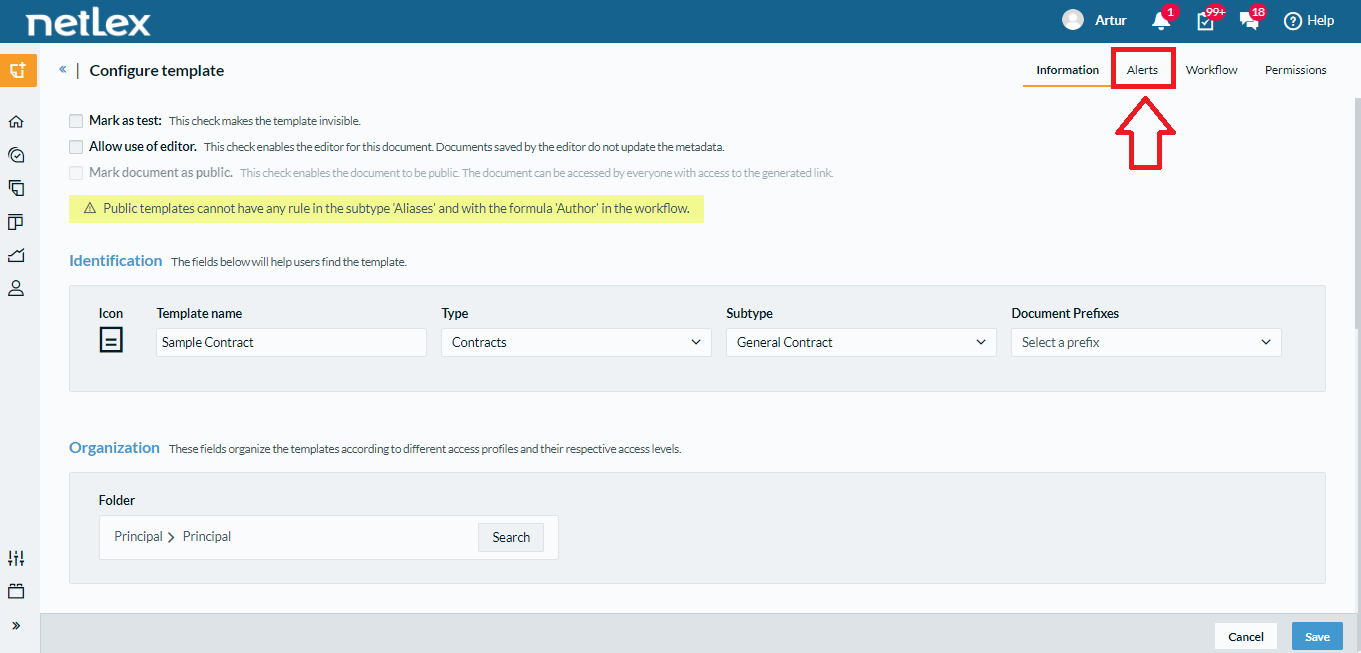
To configure alerts on templates already registered on the platform, you will first need to access the template page. After that, you will be able to access the "Alerts" settings from the on-screen options as highlighted in the image below.
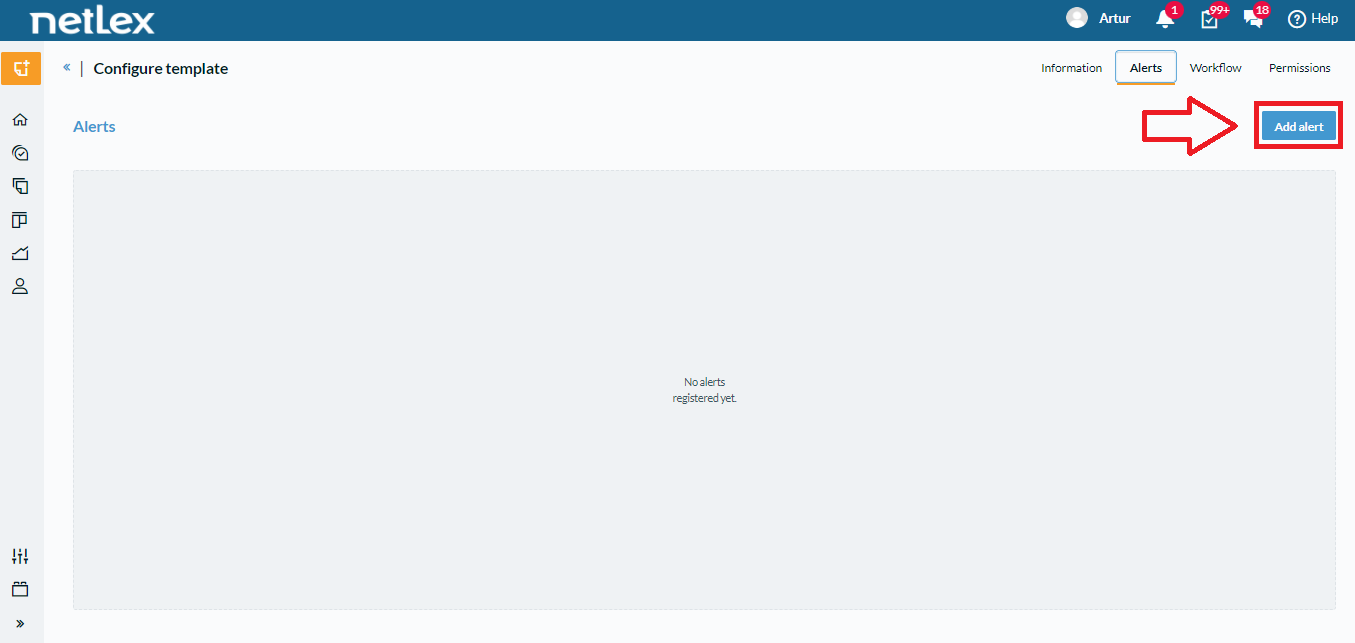
On the alerts screen, you can click on the "Add alert" button to configure them according to your needs.
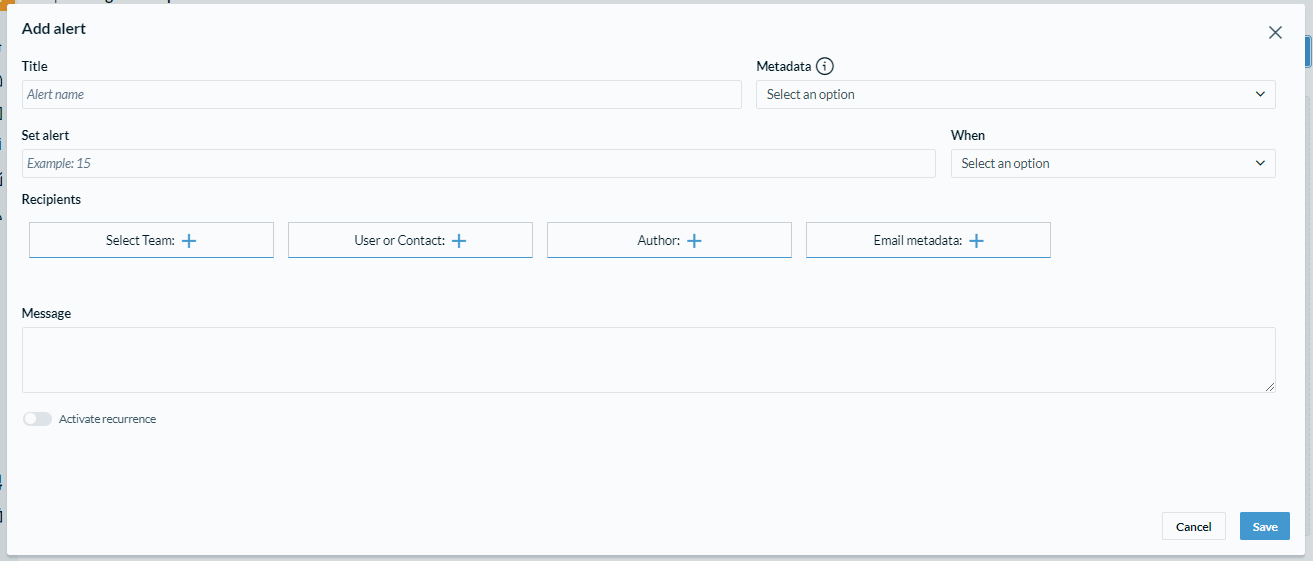
By clicking this button, the system will open a screen where you can configure your alert. On this screen, you must enter the following information:
- Title (Alert name)
- Metadata that will be the base value for the alert
- Set alert and when (for example, 8 days before)
- Alert recipients
- Message along with alerts
In addition, you can also enable or disable recurrence. This option is responsible for sending the alert only once or more than once. If recurrence is enabled, it is possible to choose when it will recur as well as the end of this recurrence. For example, recurring each week ending after 3 occurrences.
Comments
0 comments
Please sign in to leave a comment.