
How do I know which version to download?
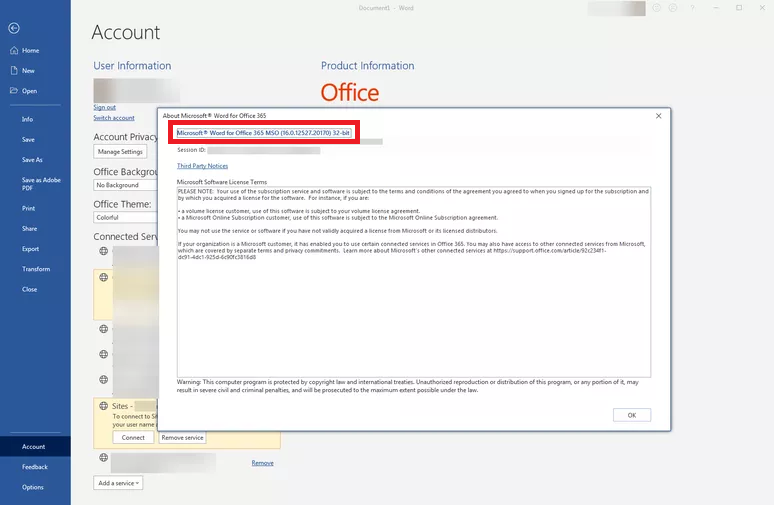
To find out which version of Lex-in you should download, 32-bit or 64-bit, you must first access your Word. After that, follow the steps below:
- Select the “File” option from the top menu;
- After that, you should click on the “Account” option in the left side menu;
- Finally, you must access the “About Word” option.
When selecting this option, a modal screen showing more information about your Word will open. The 32-bit or 64-bit version will be highlighted at the end of the line in blue as shown in the image below, which in this case is the 32-bit version.
Knowing your Word version, just download the corresponding version of Lex-in. That is, if your Word is 32-bit, download the 32-bit version of Lex-in. If your Word is 64-bit, download the 64-bit version of Lex-in.
Comments
0 comments
Please sign in to leave a comment.