
How to edit a contact's information or delete it?
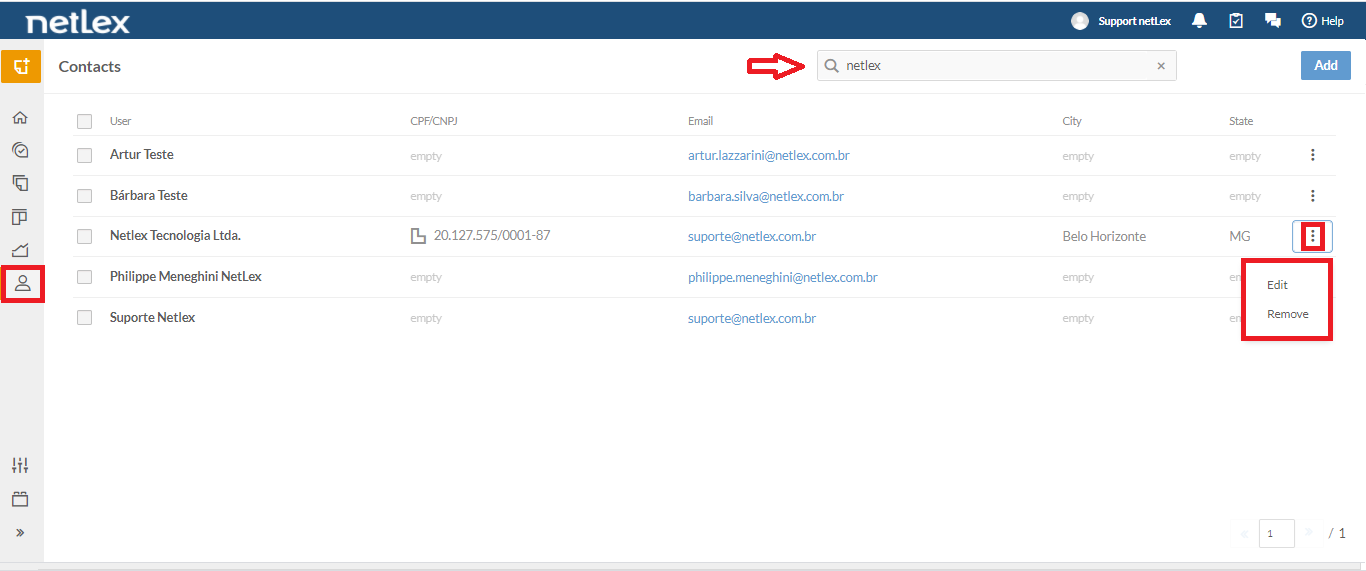
If you need to edit a contact's information or delete it, you can do so from the "Contacts" page. When you enter this page you will have access to a search field where you can search for the name of the desired contact.
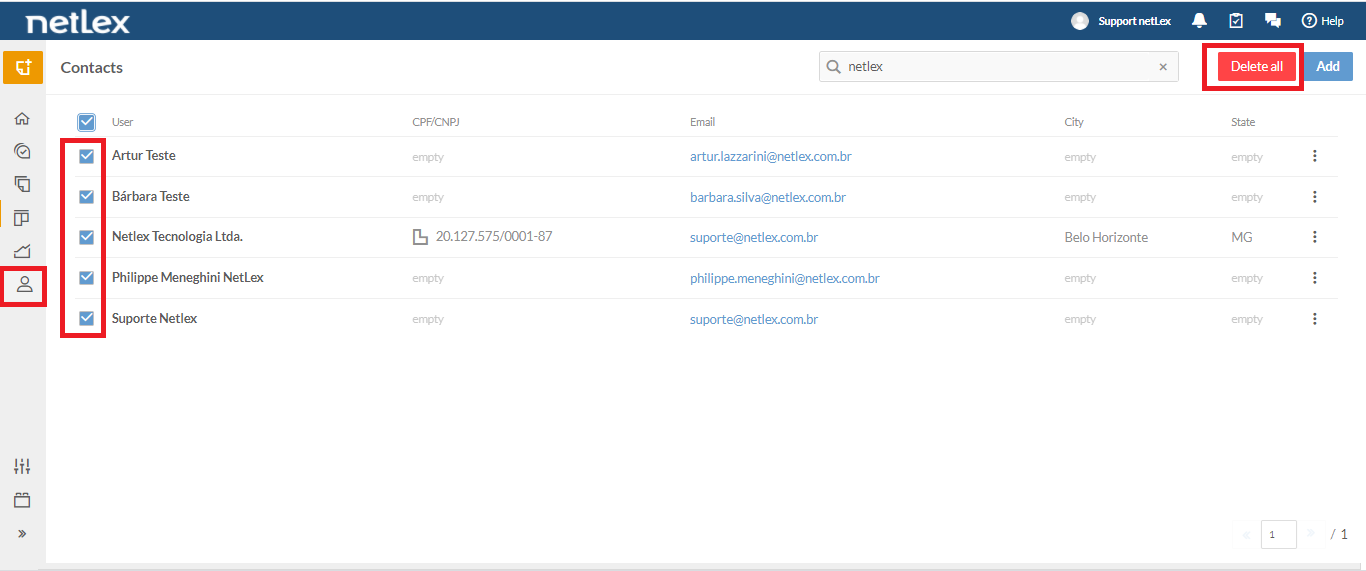
To the right of each one, there is an icon symbolized by three vertical dots through which you will have access to two options: "Edit" and "Remove". If you want to delete several contacts at the same time, you can select the checkbox on the left side of the contacts you want and then click on the "Delete all" button.
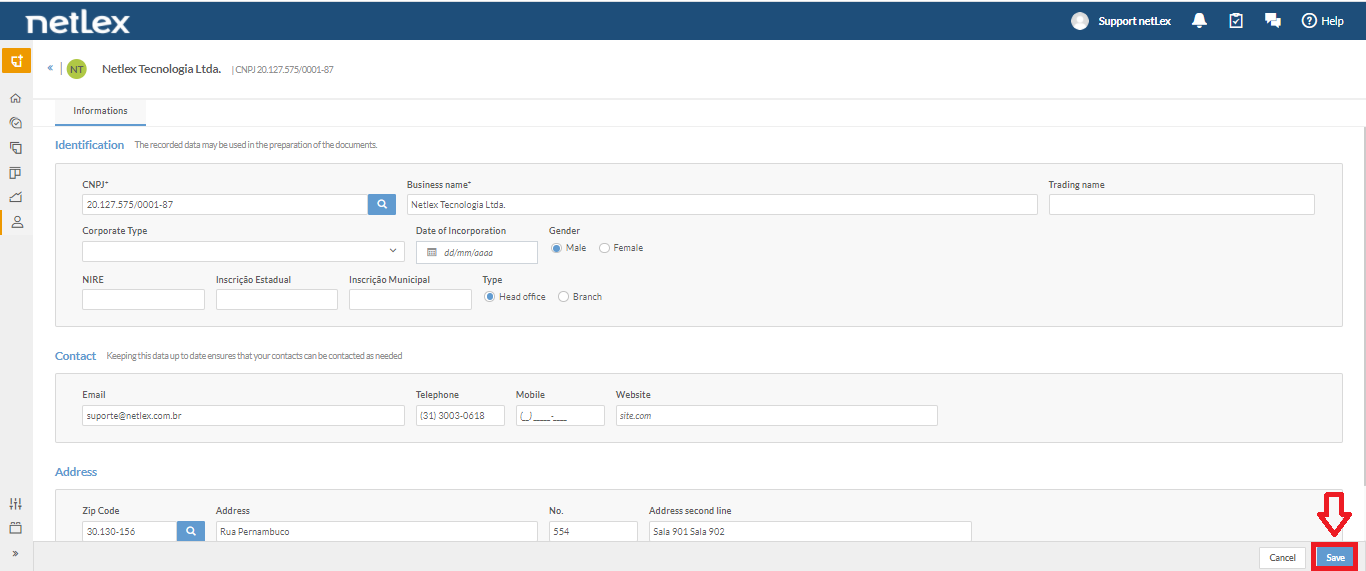
If you click on "Edit" you will see all the data of the respective contact and can change them. After making the changes you want, just click on "Save".
Comments
0 comments
Please sign in to leave a comment.