
Frequently asked questions and their answers.
- My Kanban does not display all documents in progress. What could have happened?
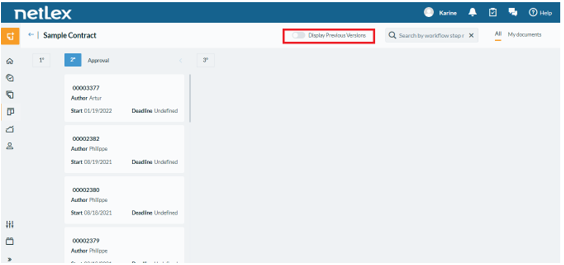
By default, Kanban only displays documents in the most current workflow configuration. Therefore, there may be documents in progress that are in older workflow configuration and are not displayed in Kanban.
To exhibit all of the documents in Kanban you will need to enable the ‘Display Previous Versions’ button, highlighted in the image below:
‘Draft’ documents are also not exhibited via Kanban. The document automation needs to be completed to be displayed in Kanban.
Comments
0 comments
Please sign in to leave a comment.