
On the “Document” section it is possible to use filters to make it easier to search for documents. In order to see them, click on the “Filter” button on the top right corner of the screen. Then, some categories will appear which can be used to identify the document (type, template, sectors, author and status, for example). All you have to do is click on each one, choose the option you want and “Apply” the filter.
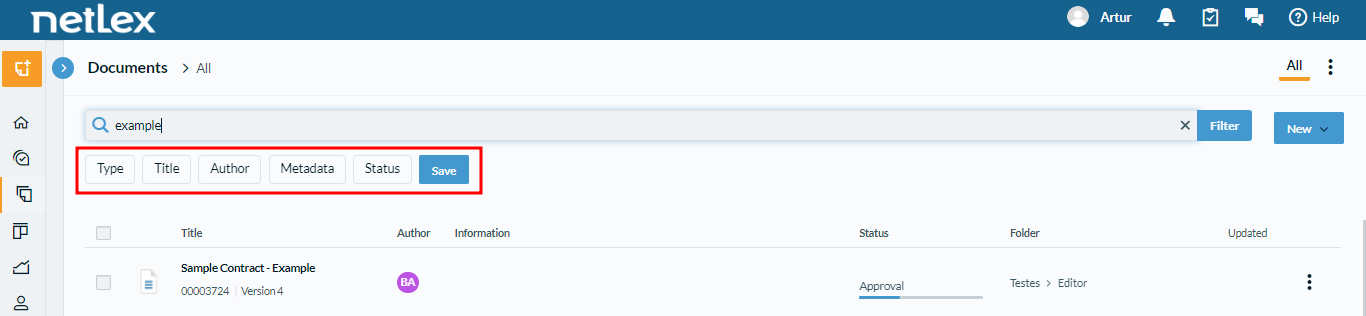
See below each category:
1. Type:
- Contracts
- Processes
- Corporate Acts
- Requirements
2. Title: every template available for your company will appear
3. Author: who has created the document
4. Metadata: data that is related to the document workflow, varies according to the workflow configuration. It is worth noting that the value entered in the metadata search must be exactly the same as the value registered in the document you wish to find in the search.
5. Status:
- In progress
- Canceled
- Canceled automatically
- Finished
It is not necessary to select an option in each category, but it is important to know that they add to each other. Because of that it is possible, for example, to select “contracts”, apply this filter and then select “in progress” and apply this second filter. As a consequence, the result of the filter will present every contract that is still in progress.
It is also possible to save a filter selection and consult it other times with more agility.
Comments
0 comments
Please sign in to leave a comment.